

A recorded call can be transcribed hours later. A live conversation cannot wait that long. When a customer speaks to a support agent or an AI voice assistant, the system must understand the words as they're spoken, not after the call ends.
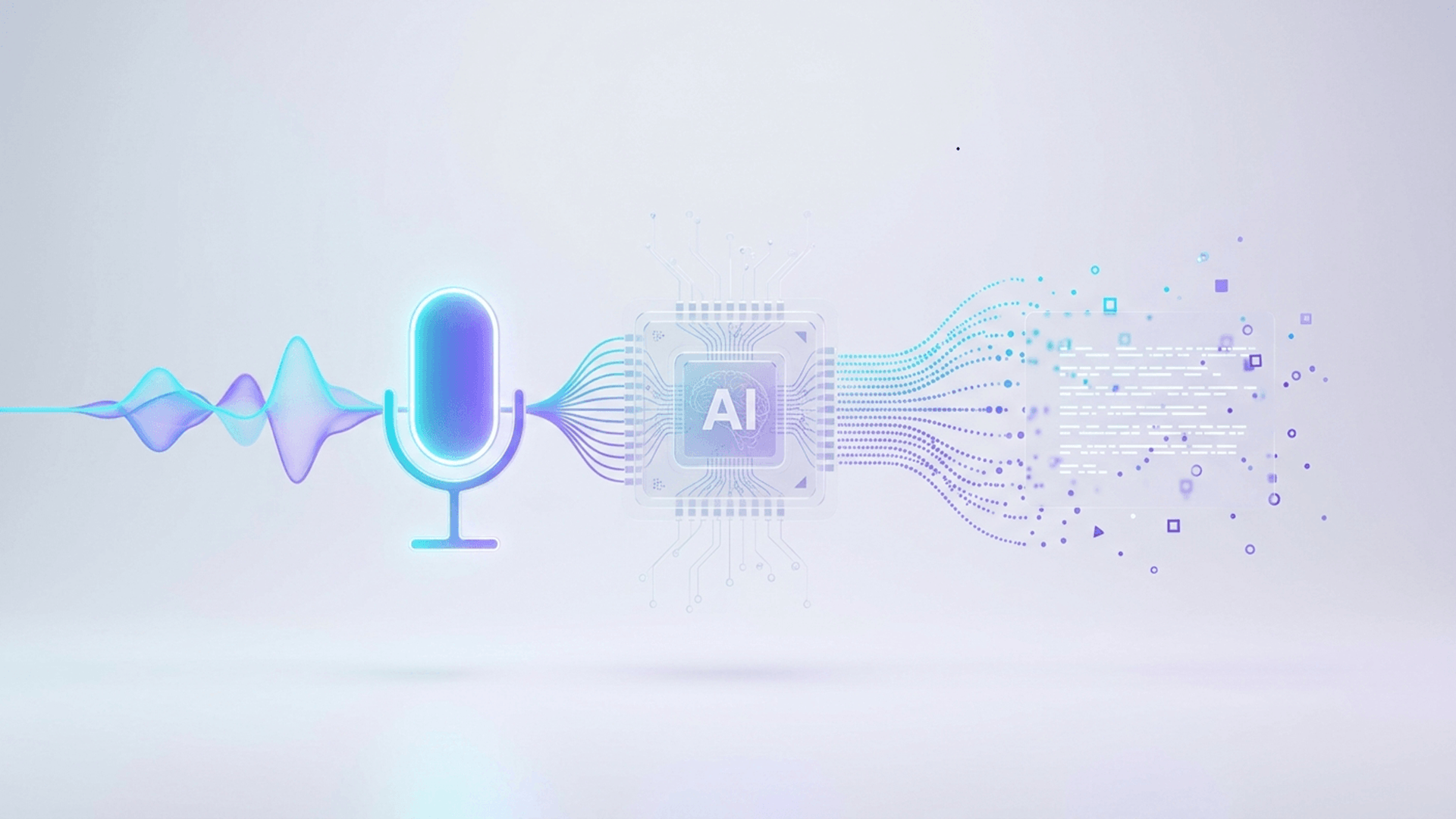
Real-time speech recognition captures a continuous audio stream and converts it into text within a fraction of a second, while the conversation is still happening. This article breaks down how that process works, and how it powers real-time voice analytics and modern Voice AI agents.
Real-time speech recognition converts spoken audio into text while a person is still speaking, instead of waiting for the recording to finish. It is part of Automatic Speech Recognition (ASR), which covers both live and recorded speech-to-text conversion. Live transcription specifically refers to text displayed instantly during a conversation.
Speech recognition creates the written transcript, while real-time voice analytics interprets it. It can identify customer intent, sentiment, key keywords, and potential compliance risks. In simple terms, one converts speech into text, while the other turns that text into useful insights.
Real-time speech recognition processes spoken words as they are being spoken. The system follows several steps to capture audio, understand the speech and produce an accurate transcript within seconds.
The process begins when audio is captured through:
Instead of waiting for the complete recording, the audio is continuously sent to the speech recognition system. This allows processing to begin almost immediately.
Live audio may include background noise, echoes, uneven volume or long pauses. Before recognising speech, the system improves the audio by:
Cleaner audio helps the system recognise words more accurately.
The system cannot wait until the conversation ends. It divides the live audio into small sections and processes each section as it arrives.
Smaller audio chunks can produce faster results, but the system must also connect them correctly so words and sentences are not missed.
Computers cannot directly understand sound waves. The system converts each audio chunk into numerical data that represents important speech features, such as:
This gives the AI model a structured format it can analyse.
A speech recognition model studies the audio patterns and matches them with known sounds, letters, words or tokens.
Modern AI models can analyse these patterns directly and predict what the speaker is saying, even when speech is fast or pronunciation varies.
Some words sound similar, so audio alone may not be enough. The system uses sentence meaning, grammar and surrounding words to choose the most likely result.
Custom vocabulary can also help recognise:
The system first produces a partial transcript while the person is still speaking. These early words may change as more audio and context become available.
Once the system is confident, it creates a final transcript. This is why live captions may briefly update before showing the confirmed sentence.
The system must understand when a person has finished speaking before responding or processing the next step.
It may use:
This is especially important for AI voice agents. Responding too early can interrupt the user, while responding too late can make the conversation feel slow.
After recognising the speech, the system improves the transcript by adding:
These final improvements turn raw speech recognition output into clear and usable text for transcription, analytics, customer support and AI voice applications.
|
Technology |
Role in the Process |
Business Value |
|---|---|---|
|
Audio streaming |
Delivers live audio |
Instant processing |
|
Signal processing |
Cleans and normalises audio |
Better recognition quality |
|
Neural speech recognition |
Converts sound to words |
Core transcription accuracy |
|
Language understanding |
Resolves ambiguous words |
Fewer recognition errors |
|
Endpointing |
Detects end of speech |
Natural conversation flow |
|
Speaker diarization |
Identifies who is speaking |
Better call analysis |
|
Real-time APIs |
Delivers transcripts to apps |
Easy system integration |
Real-time speech recognition processes audio while a person is speaking and delivers text almost immediately. Traditional batch transcription waits until the recording is available before processing it. Real-time systems support live actions and faster responses, while batch transcription is better suited to completed recordings where immediate output is not required.
|
Factor |
Real-Time Speech Recognition |
Batch Transcription |
|---|---|---|
|
Processing time |
During the conversation |
After the recording ends |
|
Transcript delivery |
Continuous, as speech happens |
Delivered as one complete file |
|
Latency |
Low, near-instant |
Not time-sensitive |
|
Typical applications |
Live calls, voice agents, captions |
Archiving, compliance review, offline analysis |
|
Ability to act during a conversation |
Yes |
No |
|
Infrastructure requirements |
Streaming-capable, low-latency |
Simpler, can run in batches |
Batch transcription converts a completed recording into text after the conversation has ended. Real-time speech recognition processes audio as it is spoken and delivers results almost instantly.
The best option depends on the goal: real-time recognition supports immediate actions, while batch transcription is ideal for creating accurate records from completed audio.
Latency and accuracy are shaped by several factors, often measured together through Word Error Rate (WER) how many words are transcribed incorrectly versus what was actually said.
Background noise, poor microphone or call quality, and strong accents reduce accuracy. Overlapping speakers and code-switching between languages add complexity. Domain-specific vocabulary, chunk configuration, network stability, model size, and endpointing settings also affect speed and accuracy.
Real-time speech recognition converts live speech into text while the conversation is happening. This text becomes the foundation for voice analytics and AI voice agents, helping systems understand what users say and respond or take action immediately.
Voice analytics can use the live transcript, tone and speaking patterns to identify:
For AI voice agents, the process usually follows a simple flow:
To make conversations feel natural, the system needs low latency, accurate turn detection, multilingual support, context understanding and interruption handling. ValueZ AI brings these capabilities together to support fast, smooth and intelligent voice interactions.
In simple terms, speech recognition captures what was said, voice analytics finds useful insights, and AI voice agents use that understanding to respond.
Real-time speech recognition is used wherever live conversations need to be understood, recorded or analysed instantly. Common applications include:
Evaluate each solution based on language and accent support, streaming speed, accuracy with your own audio, custom vocabulary, speaker identification, turn detection, API and SDK availability, deployment options, data privacy, scalability, and integration with voice agents or analytics platforms.
Always test the solution using real business conversations. Published benchmarks may not reflect your actual results because accents, technical terms, audio quality, and background noise can vary across industries.
Real-time speech recognition works by capturing live audio, cleaning it, breaking it into small chunks, extracting speech features, and running them through neural models informed by language context fast enough to produce transcripts while the conversation is still happening. Endpointing, diarization, and enrichment then turn that output into something businesses can use.
This pipeline is the foundation that lets AI voice agents, live transcription, and real time voice analytics operate during conversations, not just after them. If your business is exploring multilingual Voice AI, Valuez AI invites you to explore or test our speech technology.
 1.png)
We're building something powerful for you. This feature will be available shortly.